

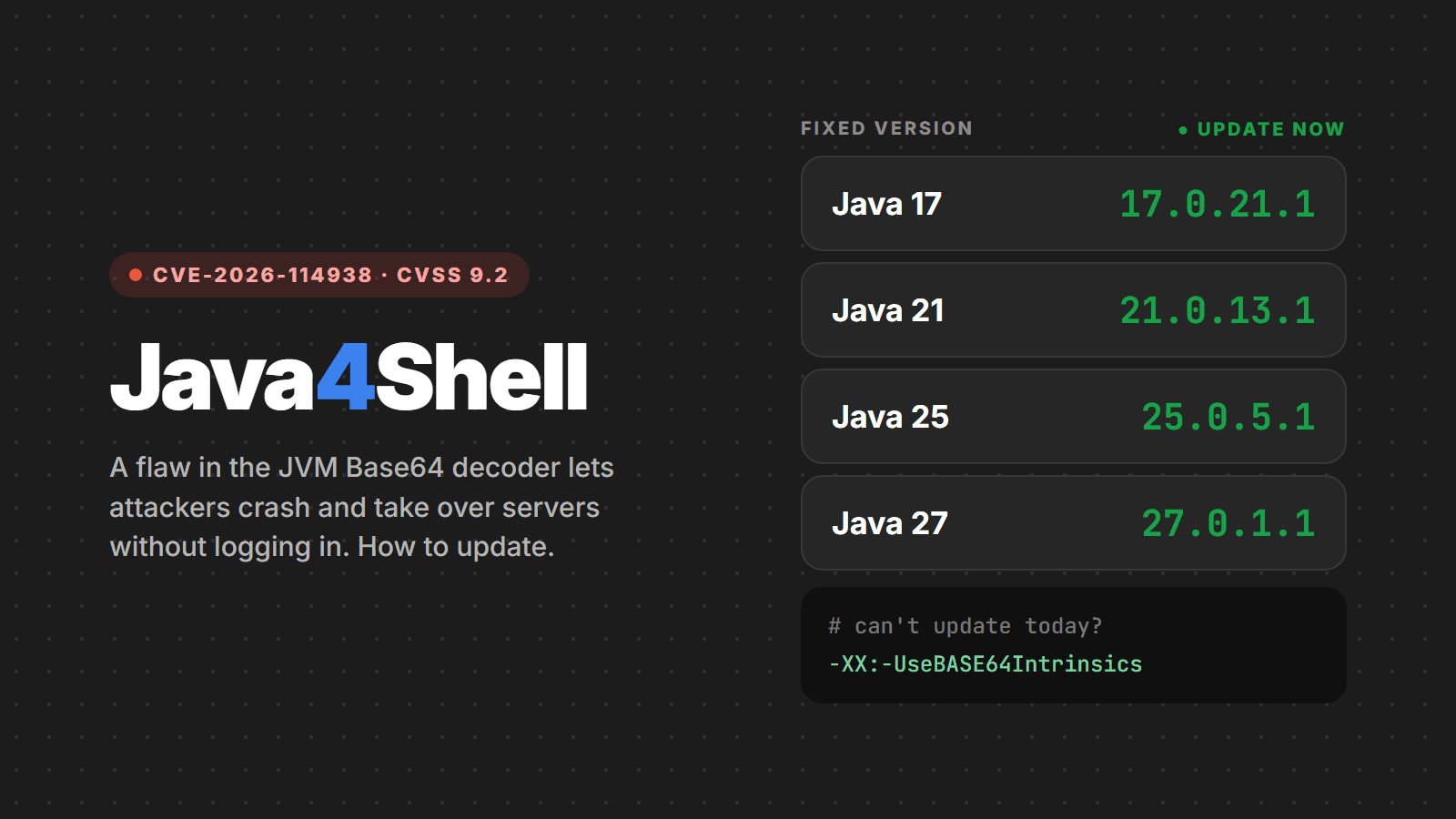
On November 17, 2026, Oracle and OpenJDK shipped an out-of-band security fix for CVE-2026-114938, nicknamed Java4Shell. It is a memory corruption flaw in the Base64 decoder of the Java virtual machine itself (the HotSpot JVM), rated 9.2 on CVSS v4.0 by the researchers and 8.1 on CVSS v3.1 by Oracle. On servers with recent Intel or AMD processors, a malformed Base64 string sent by an outsider can crash the application and, in some cases, allow remote code execution without logging in.
The flaw was found by Calif, the same group that disclosed PHP2Shell in October. And, just like with PHP, the problem is not in your code or in a library: it is in the runtime. In this article we gather what the sources had confirmed as of November 18, how to find out whether your server is exposed, how to update and what to do if you cannot update today.
TL;DR
- Update Java to the November 17 releases: 17.0.21.1, 21.0.13.1, 25.0.5.1 or 27.0.1.1 (or your vendor's fixed build) and restart every Java process.
- Affects Java 17 (from 17.0.6), 21, 25 and 27, in every OpenJDK-based distribution: Oracle, Temurin, Corretto, Microsoft, Zulu, Liberica, SapMachine, Red Hat. Regular Java 8 and Java 11 are not on the affected list.
- Only on x86-64 with AVX-512 VBMI: Intel Xeon Ice Lake or newer and AMD Zen 4 or newer. ARM64 servers (AWS Graviton, Ampere, Apple Silicon) are not affected.
- Updating Maven or Gradle dependencies does not fix it. The JVM is what needs updating, including the one bundled with Jenkins, Keycloak, Elasticsearch and your Docker images.
- If you cannot update now, start the JVM with
-XX:-UseBASE64Intrinsics.
What the flaw is
To decode Base64 faster, the JVM swaps the Java code of java.util.Base64 for a routine written directly in processor instructions (an intrinsic). On CPUs with AVX-512 VBMI, that routine writes 64 bytes at a time, using a mask that says how many bytes of the block are valid.
The bug is in how that mask is computed when the input is short and ends with a misplaced = (Base64's padding character). The output length goes negative, the mask becomes “all bytes” and the routine writes dozens of bytes past the end of the array, on top of other objects in the application's memory. Right after that, Java notices the input is invalid and throws IllegalArgumentException, but the memory damage is already done.
Details that matter when assessing the risk:
- The vulnerable routine only kicks in after the decoder is JIT-compiled (C2), which happens quickly in any service that decodes Base64 often.
- The affected path is the basic and URL decoders of
java.util.Base64. The MIME decoder and third-party libraries do not use this intrinsic. - Base64 is everywhere in web applications: the
Authorization: Basicheader, JWTs, SAML, cookies, uploads, APIs. That is why the flaw is reachable before login in many products.
Which applications were exploited
Calif reported achieving remote code execution in the following products, on recent versions. The list is not exhaustive:
| Attack type | Products |
|---|---|
| No login (pre-auth) | Keycloak, Atlassian Jira, Atlassian Confluence, JFrog Artifactory, Jenkins, PingFederate |
| With login (post-auth) | Apache Kafka, Apache Solr, Elasticsearch, Gerrit, Spinnaker |
| Others | Sample applications on Spring Boot and Apache Struts; and, on the client side, a Java program that opens a TLS connection to a malicious server |
Note the profile of the first row: identity provider, CI/CD, wiki and artifact repository. These are exactly the systems that hold the whole company's credentials and keys.
What the real risk is
Here the news is better than the name suggests. Unlike Log4Shell in 2021, where a single string worked almost anywhere, Java4Shell needs an exploit tailored to each application, which depends on the memory layout and is sensitive to network latency. Calif itself said that, for its tests over the internet, it rented a machine in the same region as the target.
- Crashing the service is easy. A short burst of requests with malformed Base64 can bring the JVM down repeatedly. If you depend on Jenkins or Keycloak, that alone is an incident.
- Running code is hard. OX Security estimated that fewer than 0.12% of JVMs worldwide meet every condition for remote code execution today (affected version, the right CPU, outside Base64 before login, internet exposure and a viable exploit). But 0.12% of millions of servers is still a lot, and the most likely targets are exactly the most valuable ones.
- Memory exposure. Even without code execution, the corruption can expose data held in the JVM's memory, such as tokens, sessions and signing keys.
As of November 18, there was no confirmed active exploitation, and the flaw was not in CISA's KEV catalog. Independent teams have already reproduced the crash in the lab, and Calif said it will publish product-specific exploits later. The window to update calmly is short.
Java4Shell is not Log4Shell
The name is confusing, but they are different problems:
| Log4Shell (2021) | Java4Shell (2026) | |
|---|---|---|
| Where it lives | Log4j library | HotSpot JVM (the runtime) |
| How to fix | Update the dependency | Update the installed or bundled Java |
| Exploit | One generic string | Tailored per application |
| Depends on hardware | No | Yes: x86-64 with AVX-512 VBMI |
In practice, this means mvn versions:display-dependency-updates and Dependabot will not flag anything. The fix happens in the base image, the system package or the JDK that ships with the product.
Step 1: find out whether the server is exposed
You are at risk if all three conditions are true: an affected Java version, a processor with AVX-512 VBMI and an application that decodes Base64 from outside. The first two take a minute to check.
# version and vendor of the Java the application actually uses
java -version

# does the CPU have the vulnerable path? (Linux) - affected if all 4 flags show up
grep -m1 '^flags' /proc/cpuinfo | tr ' ' '\n' | grep -E '^(avx512f|avx512bw|avx512vbmi|bmi2)$'

# is the intrinsic enabled in this JVM?
java -XX:+PrintFlagsFinal -version | grep UseBASE64Intrinsics
Things to watch when checking:
- The Java in your terminal may not be the application's. Jenkins, Keycloak, Elasticsearch, Jira, Confluence and Artifactory often ship their own JDK. Check the path of the running process (
ps -ef | grep java) and run-versionon that binary. - Containers inherit the host's CPU. The image may be fine while the Kubernetes node has AVX-512. Check the Java version inside the image and the CPU of the nodes.
- In the cloud, the instance type decides. Recent families with Intel Ice Lake, Sapphire Rapids or newer and AMD EPYC Zen 4 or newer (such as AWS m6i/m7i/c7i/m7a and Azure's v5 series) have AVX-512. Graviton and Ampere instances do not.
Step 2: update
Fixed versions released by Oracle on November 17:
| Line | Fixed version |
|---|---|
| Java 8 (Enterprise Performance Pack) | 8u513-perf |
| Java 17 | 17.0.21.1 |
| Java 21 | 21.0.13.1 |
| Java 25 | 25.0.5.1 |
| Java 27 | 27.0.1.1 |
Other distributions ship on their own schedule. Amazon has already released Corretto 17.0.21.1.2; for Temurin, Microsoft Build of OpenJDK, Azul Zulu, Liberica, SapMachine and Red Hat, check each vendor's advisory before considering the server fixed. On Linux distributions, the package may be patched without changing the version number: look for the CVE in the changelog.
# Debian / Ubuntu
apt update && apt list --upgradable 2>/dev/null | grep -i openjdk
zcat /usr/share/doc/openjdk-21-jre-headless/changelog.Debian.gz | grep CVE-2026-114938

# RHEL / AlmaLinux / Rocky
rpm -q --changelog java-21-openjdk-headless | grep CVE-2026-114938

# Docker: bump the base image tag and rebuild (restarting is not enough)
docker build --pull -t my-api .
After updating, restart every Java process. The old JVM stays loaded in memory until the process restarts. For products that ship their own JDK, apply the vendor's update or point the product at a fixed JDK.
Step 3: if you cannot update today
The recommended stopgap is to turn off the vulnerable intrinsic. Java falls back to the regular decoder, which does not have the bug:
# on the command line
java -XX:-UseBASE64Intrinsics -jar app.jar

# or for every JVM on the host/container
export JAVA_TOOL_OPTIONS="-XX:-UseBASE64Intrinsics"- Applications that decode a lot of Base64 may get a little slower. Test in staging first.
- The alternative
-XX:UseAVX=2turns off AVX-512 entirely and costs more performance. Use it only on x86-64: on ARM the JVM will not start with this option. - Reverse proxies and WAFs are not enough. The malicious input is short, fits any size limit and arrives through many different paths.
- In the meantime, take identity, CI/CD and collaboration consoles (Keycloak, Jenkins, Jira, Confluence, Artifactory) off the internet or put them behind a VPN.
Step 4: look for signs of attack
- Unexpected JVM crashes and recent
hs_err_pid*.logfiles in the application directory. - Bursts of
IllegalArgumentExceptionfromBase64.Decoder, especially with inputs ending in=. - A Java process spawning a shell (
sh,bash,cmd.exe) or opening new outbound connections. - Java installations on servers that are not in your inventory.
If exploitation is suspected on an exposed service, treat everything that was in that JVM's memory as compromised: rotate signing keys, tokens and passwords. If your secrets live in a vault, rotation is much simpler; we explain how in Secrets Manager: what it is and how it works.
One last warning: be suspicious of GitHub repositories promising a ready-made Java4Shell exploit. With high-profile flaws, fake “proofs of concept” carrying malware show up within hours. To test, use only the safe trigger published by Calif, on a test machine.
Checklist
- Inventory of every running Java, including the ones bundled in products and Docker images
- CPU check on servers, VMs and Kubernetes nodes (AVX-512 VBMI)
- Java updated to 17.0.21.1, 21.0.13.1, 25.0.5.1, 27.0.1.1 or the vendor's fixed build
- Container images rebuilt with
--pulland redeployed - Every Java process restarted after the update
- Where updating is not possible yet:
-XX:-UseBASE64Intrinsicsapplied and critical services off the internet - Priority on exposed Keycloak, Jenkins, Jira, Confluence, Artifactory and PingFederate
- Logs reviewed for JVM crashes and
Base64.Decoderexceptions - Secrets rotated on services with suspected attacks
Sources
- Calif: Java4Shell, write once, RCE everywhere
- Tenable: CVE-2026-114938 FAQ
- Qualys: how to find, mitigate and patch Java4Shell
- OX Security: easy to crash, hard to exploit
- Wiz: CVE-2026-114938, everything you need to know
- The Hacker News: Java4Shell enables pre-auth RCE in Jira, Jenkins, Keycloak and more
Need help?
Not sure which servers run Java, which JDK ships inside Jenkins or Keycloak, or whether your cloud instances have AVX-512? Talk to us: we build the inventory, apply the update or the mitigation without taking the system down and review the logs for signs of attack.