

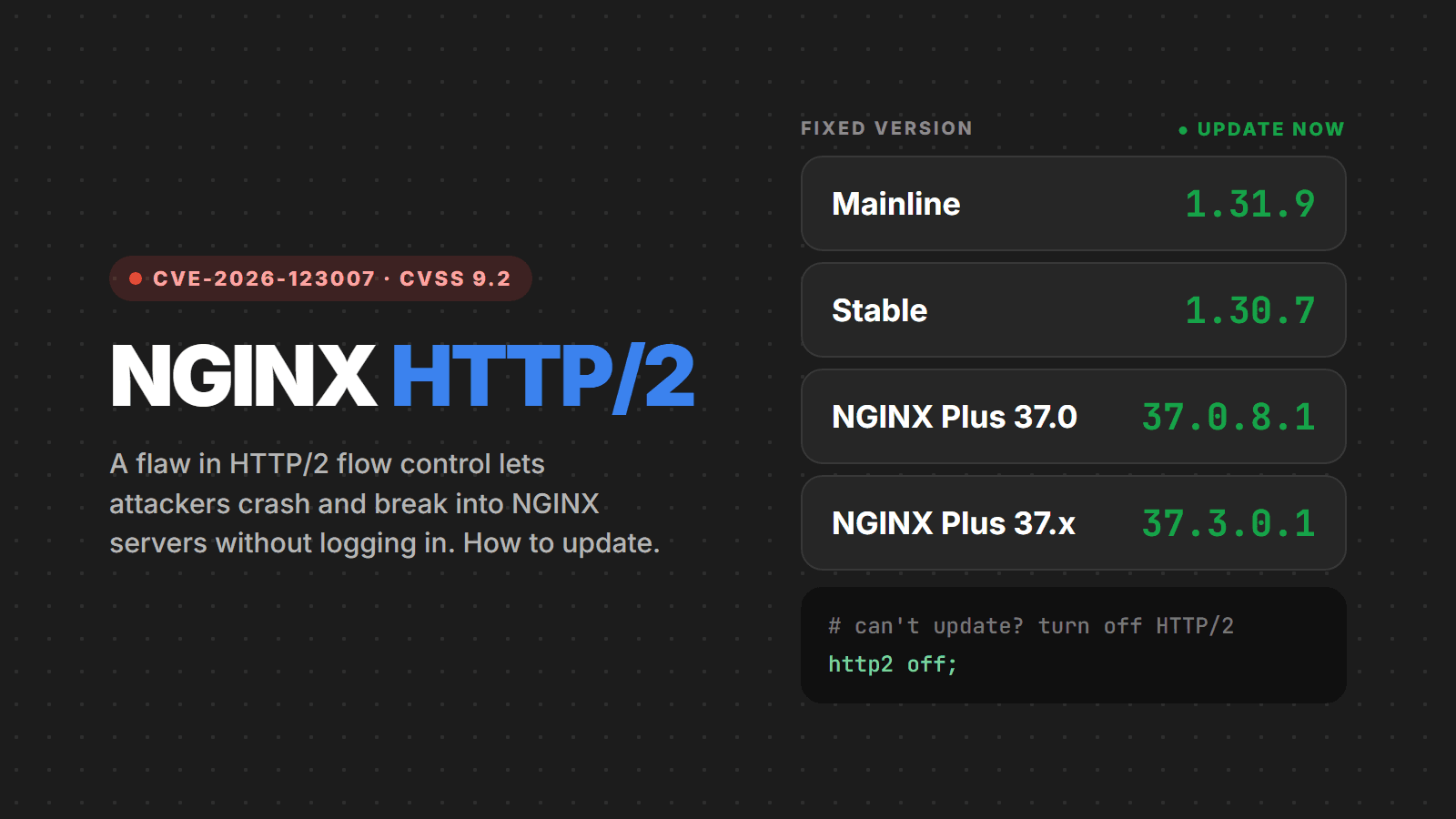
On November 18, 2026, F5, the company that maintains NGINX, released versions 1.31.9 (mainline) and 1.30.7 (stable) with fixes for ten security flaws. The most serious is CVE-2026-123007, a memory corruption bug in HTTP/2 flow control that lets an attacker without a login crash the server's processes and, in some scenarios, run code on it. It is rated 9.2 on CVSS v4.0 (8.1 on CVSS v3.1), and nginx.org itself classifies it as "major".
The bug has been in the code since NGINX 1.9.5, from 2015, and it works even on servers that only serve static files, with no backend behind them. On the day of disclosure, Rapid7 published a proof of concept on GitHub that demonstrates remote code execution. Researchers nicknamed the set of flaws NGINX2Root and Nginx2Shell.
Summary for the busy
- Update NGINX to 1.31.9 (mainline) or 1.30.7 (stable). For NGINX Plus, the fixed versions are 37.0.8.1 and 37.3.0.1.
- Anyone with HTTP/2 turned on is exposed, and it is the default in many HTTPS setups (
listen 443 ssl http2orhttp2 on). - After updating, restart NGINX instead of just reloading it: a
reloadkeeps old processes serving open connections. - Can't update right now? Turn off HTTP/2. The site keeps working over HTTP/1.1, just a little less efficiently.
- As of November 18 there was no confirmed exploitation, but the proof of concept is already public.
What the flaw is
In HTTP/2, many requests travel at the same time over the same connection, each in its own "stream". So that one side does not flood the other, there is flow control: each side says how many bytes it will accept (the "window") and opens up more room with frames called WINDOW_UPDATE. The protocol sets a limit for this window: 2,147,483,647 bytes.
NGINX keeps the connection's send window in a counter. When the client cancels a stream, NGINX gives back to that counter the room it never used, without checking whether the total went past the limit. By repeating this, the attacker pushes the counter beyond the maximum. From then on, the check that should block new WINDOW_UPDATE frames wraps around (an integer underflow) and stops working, and the huge value turns into a negative length when NGINX builds the response data. The TLS layer then copies memory outside the buffer: it can leak data from memory and corrupt the process heap.
In practice, the most common outcome is that an NGINX worker process crashes. With the memory leak, however, the attacker can learn where things sit in memory and get around ASLR, and from there overwrite a function pointer to run a command. The code runs as the worker's user (usually nginx or www-data), not as root.
Who is exposed
- NGINX Open Source from 1.9.5 through 1.31.8 with HTTP/2 on over HTTPS, on 64-bit servers. It does not matter whether it serves static files, works as a reverse proxy or runs PHP-FPM.
- NGINX Plus R33 and 37.x versions earlier than 37.0.8.1 and 37.3.0.1.
- Docker images based on the official
nginximage that were not rebuilt after November 18. Themainline,stableandlatesttags have been updated, but your image only changes when you build a new one. - Distribution packages: on November 18, Alpine 3.24 already had
nginx1.30.7, but Debian and Ubuntu had not yet released the fix. If you use your distribution's package, follow its security advisory or switch to the official nginx.org repository. - Products that bundle NGINX, such as OpenResty (1.31.8.1 still ships the vulnerable NGINX) and Kubernetes ingress-nginx, which was retired in March 2026 and will not get a fix. It uses HTTP/2 by default.
Who is not affected: servers with HTTP/2 turned off and 32-bit NGINX. If a CDN or load balancer (Cloudflare, AWS ALB, Azure Front Door) takes the visitor's HTTP/2 and talks to your NGINX over HTTP/1.1, most of the attack is blocked, as long as the origin server cannot be reached directly from the internet.
How easy it is to exploit
Crashing NGINX is the easy part. Code execution has practical hurdles, according to Rapid7's analysis: the attack has to send about 128 GB of HTTP/2 data over the connection, so links slower than roughly 300 Mbit/s cannot finish it; a proxy in front of NGINX tends to break the attack; and the published exploit depends on a glibc memory copy routine used on x86-64 processors with AVX-512, which is common on cloud servers. Wiz, which also reported the flaw, showed code execution on the official 1.31.7 and 1.31.8 builds serving only static files, and has not released its exploit.
The NGINX2Root nickname comes from Xint, which says it chained these flaws with a Linux kernel flaw to get root on the machine. Details of that chain have not been published yet.
In other words: this is not something anyone can exploit from home, but a cloud server with plenty of bandwidth is exactly what an attacker would use. With the exploit public, the window to update is short.
The other flaws fixed in the same release
Versions 1.31.9 and 1.30.7 fix nine more flaws. The ones that matter most:
- CVE-2026-123633: a use-after-free in HTTP/2 when NGINX proxies to a backend and is low on free connections. It can also lead to code execution. It affects 1.19.7 through 1.31.8.
- CVE-2026-121810: a use-after-free in HTTP/3 in proxy setups (1.25.0 through 1.31.8).
- CVE-2026-123634: a use-after-free in the
resolver, when theproxy_passtarget comes from the request. - CVE-2026-113425: a use-after-free in the mail proxy with
auth_http. - CVE-2026-118899: an infinite loop while reading the request body over TLS 1.3, which hangs the worker (denial of service).
All of them go away with the same update, so there is no point handling them one by one.
Step 1: check the version and the configuration
On the server or inside the container:
# nginx version
nginx -v

# is HTTP/2 on? (any output line = yes)
nginx -T 2>/dev/null | grep -nE '^\s*(http2\s+on\b|listen\b[^#]*\bhttp2\b)'

# does nginx pass requests to a backend? (CVE-2026-123633)
nginx -T 2>/dev/null | grep -nE '\b(proxy|fastcgi|uwsgi|scgi|grpc)_pass\b'
If the version is older than 1.31.9 (or 1.30.7 on the stable line) and the second command prints any line, the server is exposed to CVE-2026-123007. If the third one also prints something, it is exposed to CVE-2026-123633. Note: distribution packages sometimes ship the fix under the old version number, so compare the full package version (dpkg -l nginx, rpm -q nginx or apk info nginx) with your distribution's security advisory.
Step 2: update
- Official nginx.org repository: run your normal system update (
apt upgrade nginx,dnf upgrade nginx) to get 1.31.9 or 1.30.7. - Debian and Ubuntu with the distribution package: follow the security advisory and update as soon as it is out. If the server is exposed and the fix is slow to arrive, turn off HTTP/2 (step 3) or switch to the nginx.org repository.
- Docker: update the tag in your
Dockerfile(for examplenginx:1.31.9ornginx:1.30.7-alpine), build a new image and deploy it. Restarting the container with the old image is not enough. - NGINX Plus: move to 37.0.8.1 or 37.3.0.1.
- OpenResty and ingress-nginx: until there is a fixed version, turn off HTTP/2. For ingress-nginx, it is worth planning a move to another controller, since it no longer gets updates.
Then test the configuration with nginx -t and restart the service (systemctl restart nginx). Check with ps aux | grep nginx that no old worker is left.
Step 3: if you can't update now, turn off HTTP/2
It is the only mitigation that closes CVE-2026-123007 without updating. In every server block with HTTPS:
server {
    # remove "http2" from listen
    listen 443 ssl;
    http2 off;   # on NGINX 1.25.1 or newer
    ...
}
Run nginx -t, reload and confirm the old workers have exited. The site stays up over HTTP/1.1. What stops working is anything that requires HTTP/2, such as gRPC services exposed through NGINX. Remember to turn HTTP/2 back on after updating.
In ingress-nginx, the equivalent option is use-http2: "false" in the controller ConfigMap. If you use HTTP/3, turn it off too until you update (http3 off;, no listen ... quic and no Alt-Svc header), because of CVE-2026-121810.
Step 4: look for signs of an attack
- Workers crashing in the error log: lines like
worker process 1234 exited on signal 11. Search withgrep "exited on signal" /var/log/nginx/error.log(ordocker logs <container> 2>&1 | grep "exited on signal"). - Long-lived HTTP/2 connections moving an unusual amount of data from the same IP. Remember the attack sends tens of gigabytes.
- Child processes of the NGINX worker, such as
sh,bash,curl,wgetornc. An NGINX worker should never open a shell. - New files in
/tmp,/var/tmpor/dev/shmowned by the NGINX user. - Strange outbound connections from the server, especially to the cloud metadata address (
169.254.169.254).
If you find anything beyond isolated crashes, isolate the server, keep the logs, bring up a new, already updated machine or image and rotate the TLS certificates and the secrets NGINX could read, since the flaw can leak process memory.
Checklist
- Inventory of every server, container and ingress running NGINX, OpenResty or NGINX Plus
- NGINX on 1.31.9 or 1.30.7 (or NGINX Plus on 37.0.8.1 or 37.3.0.1)
- Service restarted, with no old workers running
- Docker images rebuilt and deployed, including staging ones
- HTTP/2 turned off wherever updating is not possible yet (OpenResty, ingress-nginx, distribution packages without a fix)
- Origin servers behind a CDN not reachable directly from the internet
- Logs reviewed for crashing workers and strange processes
Sources
- nginx.org: nginx security advisories
- Wiz: Unauthenticated Remote Code Execution in NGINX
- JFrog: Nginx2Shell, CVE-2026-123007 and CVE-2026-123633
- Cycode: NGINX2Root (CVE-2026-123007 and four more)
- Red Hat: CVE-2026-123007
- SecurityOnline: Rapid7 proof of concept for CVE-2026-123007
Need help?
Not sure how many servers and containers run NGINX, whether your distribution's package already has the fix, or whether you can turn off HTTP/2 without breaking anything? Talk to us: we take the inventory, update and restart without taking the site down, and review the logs for signs of an attack.